
 December 30, 2025
 11 min read
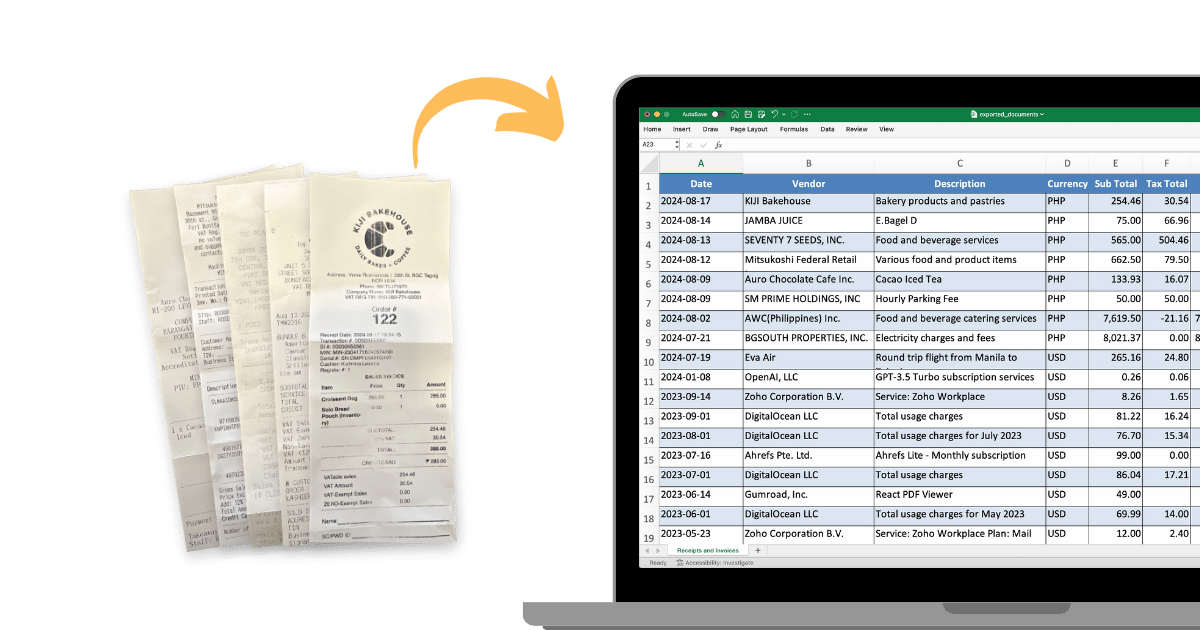
Managing your finances can feel like a heavy chore that never ends. Every day, small pieces of paper fill up your pockets and create a cluttered desk. For small business owners and freelancers, this paper chaos isn’t just a mess—n it’s a productivity killer. To stay ahead, you need a smart way to scan receipts to Excel and turn that clutter into organized, actionable data.
The old way of tracking costs was slow and boring, requiring you to type every number into a computer by hand for hours. Today, the “3-second revolution” is here. Using an AI-powered receipt scanner allows you to digitize receipts with a single tap, ensuring your office stays clean and your financial records stay perfect.
The Core Technology: How AI Receipt Scanners Work

You might wonder how a modern app can read the text on a crumpled paper so accurately. It uses a special technology called OCR (Optical Character Recognition). This tech turns a simple photo into structured text that your computer can understand.
When you use a tool to scan receipts to Excel, the AI doesn’t just “see” letters; it identifies the most important parts of the document automatically:
-
Vendor Name: The store where you made the purchase.
-
Date & Time: Vital for tracking your spending timeline.
-
Tax Amounts: Crucial for accurate expense management.
-
Total Amount: The final figure for your digital ledger.
Modern algorithms, like those used at pdftoexcelconverter.ai, are now over 99% accurate. This high precision is vital for professional bookkeeping and ensuring you never lose a tax deduction again.
4 Strategic Benefits of Choosing to Scan Receipts to Excel
Moving from paper to a digital receipt to Excel workflow offers immediate advantages for your business:
1. Massive Time Efficiency
Most business owners save 5 to 10 hours every month by going digital. Instead of manual entry, you can scan receipts for taxes in seconds, allowing you to focus on growing your sales and serving customers.
2. Audit-Ready Records
Having digital copies of every transaction is a very smart business move. When you digitize receipts, you create a searchable archive that lasts forever. Unlike thermal paper, which fades over time, your digital Excel logs stay perfect for years.
3. Maximize Tax Deductions
Waiting until tax season to find old paper slips is a costly mistake. If you scan receipts to Excel throughout the year, you capture every small deduction—from coffee meetings to office supplies—that adds up to significant savings.
4. Real-Time Expense Management
A receipt scanner helps you track your budget in real-time. By exporting your data to a spreadsheet, you can create charts and graphs to see exactly where your cash goes each day, preventing budget leakage.
The Step-by-Step Workflow: From Paper to Spreadsheet
To get the best results when you scan receipts to Excel, follow this simple 4-step process:
-
Capture: Take a clear photo of your receipt in a bright room. Ensure the edges are inside the frame.
-
Extract: Let the AI digitize receipts by identifying categories like meals, travel, or supplies.
-
Validate: Do a quick 2-second check to ensure the numbers match the original image.
-
Export: With one click, move the data from receipt to Excel. Your software will format the data so it fits your accounting templates perfectly.
Why Choose pdftoexcelconverter.ai for Expense Management?
Choosing the right tool is the secret to a frictionless financial life. pdftoexcelconverter.ai is built to be the fastest and most reliable receipt scanner on the market. Our platform allows you to scan receipts to Excel with amazing accuracy, regardless of wrinkled paper or faded ink.
Our system syncs perfectly with popular accounting software like QuickBooks or Xero, making expense management an automatic part of your day. We prioritize your security, using high-level encryption to keep your sensitive financial data safe from hackers.
Frequently Asked Questions (FAQ)
Is it legal to use scanned receipts for taxes?
Yes, in most jurisdictions (including the US and UK), digital versions of receipts are legally acceptable for tax purposes as long as they are legible and accurate.
Can I scan multiple receipts at once?
Absolutely. Our advanced receipt scanner supports batch processing, allowing you to digitize a week’s worth of expenses in a single session.
How do I convert a receipt image to an Excel file?
Simply upload your image to pdftoexcelconverter.ai, let the AI extract the data, and click “Export to Excel” to download your structured .xlsx file.
Conclusion: The Future of Frictionless Finance
The days of drowning in paper are finally over. By choosing to scan receipts to Excel, you are taking control of your financial health. This simple habit saves you time, money, and stress, ensuring you are always ready for tax season.
Don’t let manual data entry hold your business back. Embrace the power of AI automation and start your journey toward a paperless office today.


