
 December 5, 2025
 11 min read
In today’s hyper-connected business world, efficiency is the ultimate goal. We all want to automate repetitive paperwork to save time, but this speed often creates a new challenge: OCR Data Security. Uploading sensitive files like financial records, legal contracts, or medical documents to the cloud can feel incredibly risky.
The fear of a data breach is justified. Using “free online OCR” tools often results in data privacy nightmares, as many of these services do not prioritize secure OCR software design. At pdftoexcelconverter.ai, we believe that safety is just as important as speed. In this guide, we explore the hidden risks of unsecured tools and how our document privacy AI architecture keeps your information locked away from prying eyes.
1. Understanding the Hidden Risks of Unsecured OCR
Using random online converters is a gamble. Many free tools lack basic OCR data security standards, leaving your business exposed to several critical threats:
-
Data Persistence: Many tools store your files indefinitely on public servers. Once uploaded, you lose control over who can view or download your secrets.
-
Man-in-the-Middle Attacks: If a platform uses weak encryption, hackers can intercept your data during the upload process.
-
Third-Party Sharing: Some free services monetize by selling user data to advertisers or data brokers, trading your document privacy AI rights for profit.
2. Multi-Layered Encryption (In-Transit & At-Rest)
The first line of defense for any secure OCR software is high-level encryption. At pdftoexcelconverter.ai, we protect your data through every stage of its journey:
-
TLS 1.2+ Protocols: We create a secure tunnel for your files during transfer, preventing interception.
-
AES-256 Encryption: Once your data sits in our temporary storage, it is encrypted using the same standard trusted by banks and military organizations. This ensures that even if a physical breach occurred, the files would remain mathematically unreadable.
3. Strict Data Retention & Auto-Deletion Policies
Robust OCR data security relies on minimizing what is kept. We do not want to be a storage locker for your secrets. Our platform features an automatic purge policy where source files are deleted immediately after the text extraction is complete.
By ensuring that your images are gone the moment the data lands in your Excel sheet, we eliminate the risk of long-term data exposure. This commitment to data sovereignty is a core pillar of our document privacy AI strategy.
4. Zero-Training Policy for Private Data
In the age of Generative AI, many companies worry that their proprietary data will be used to train public models. pdftoexcelconverter.ai enforces a strict Zero-Training Policy.
Your documents are never used to “make our AI smarter” for other users. Your intellectual property remains yours alone, ensuring that sensitive financial or legal nuances are never leaked into a public database. This is a critical distinction when choosing an encrypted OCR tool for enterprise use.
5. Global Compliance: GDPR, CCPA, and HIPAA Readiness
Technical measures must be validated by global legal standards. OCR data security at our firm is aligned with the world’s strictest regulations:
-
GDPR & CCPA Compliance: We respect your right to data privacy and provide tools to honor data deletion requests instantly.
-
HIPAA Readiness: For healthcare providers, our systems handle Personally Identifiable Information (PII) with extreme care, meeting the demands of medical record protection.
-
SOC 2 Type II Alignment: We follow rigorous auditing procedures to prove our processing integrity and system security.
6. Infrastructure Security: The Digital Fortress
Beyond software, the physical infrastructure matters. We partner with top-tier cloud providers like AWS and Google Cloud to ensure your data lives in a digital fortress. These facilities feature 24/7 armed guards, biometric locks, and full redundancy.
Furthermore, we utilize Network Isolation via Virtual Private Clouds (VPCs). Your documents are processed in a secure “bubble” that never mixes with public internet traffic, adding an extra layer of data protection in OCR processing.
7. Best Practices for Secure OCR Implementation
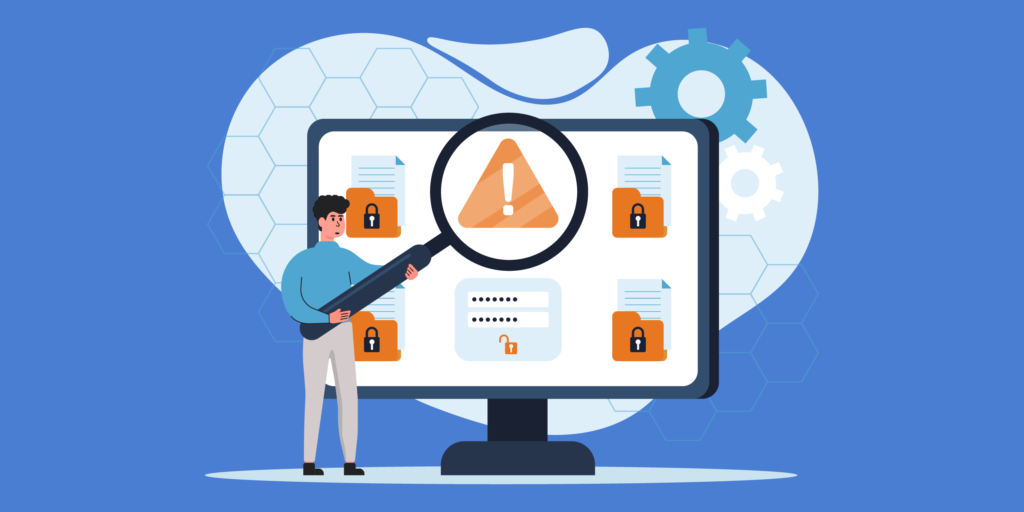
While we secure the platform, OCR data security works best as a partnership. Here are three ways you can stay safer:
-
Use Redaction Features: Blackout sensitive fields like credit card numbers or social security numbers before the data leaves the API.
-
Rotate API Keys: If you are a developer, rotate your access keys often to keep credentials fresh.
-
Monitor Audit Logs: Regularly check your dashboard to audit which documents were processed and from which IP addresses.
Conclusion: Privacy Without Compromise
Efficiency should never cost you your privacy. With the right partner, you can have both high-speed automation and total peace of mind. OCR data security is our promise to you, protecting your business from modern cyber threats while providing the accuracy you need.
Do not gamble with unsecured free tools. Choose a partner that treats your data with the respect it deserves. Experience the future of document privacy AI with pdftoexcelconverter.ai and transform your workflow with confidence.
Why pdftoexcelconverter.ai is The Right Solution For You?
At pdftoexcelconverter.ai, we prioritize your security above all else. Our platform is engineered to provide the most secure OCR software experience in the industry, combining advanced AI accuracy with military-grade encryption.
We specialize in OCR data security, ensuring that your sensitive files are processed privately and deleted automatically. Whether you are handling legal contracts or medical records, you can trust our document privacy AI to keep your secrets safe. Choose pdftoexcelconverter.ai for a smarter, safer digital future.


