
 December 13, 2025
 11 min read
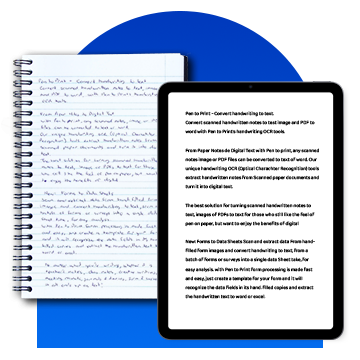
We all have important information written down—in old notebooks, on whiteboards, or on paper forms. While this data is valuable, it is often “locked” in the physical world, making it impossible to search or analyze. This is where Handwriting OCR (Optical Character Recognition) technology changes the game.
By using advanced AI handwriting recognition, you can bridge the gap between paper and digital, unlocking the secrets written in ink. In this guide, we explore how to digitize handwriting effectively and why moving from handwriting to text is the first step toward a more organized life.
1. The Technology: How AI Handwriting Recognition Works

To understand why reading handwriting is harder than reading printed fonts, we must look at the difference between standard OCR and ICR (Intelligent Character Recognition). Standard OCR matches patterns of typed letters, but since everyone writes differently, it often fails at handwriting tasks.
Modern Handwriting OCR uses AI handwriting recognition to learn like a human brain. Instead of just matching a picture, it analyzes the strokes of the pen and uses neural networks to understand context. This allows the system to handle messy cursive and connected scripts with high fidelity, turning scribbles into readable digital data.
2. Best Tools to Digitize Handwriting for Personal Use
For students and individuals looking to move from handwriting to text, the best solutions are likely already in your pocket.
-
Apple Live Text: Point your iPhone camera at a note, and it identifies the writing instantly, allowing you to copy and paste it into any app.
-
Google Lens: Available on both Android and iOS, Google Lens performs handwriting OCR quickly and can even translate your notes into other languages.
-
Note-Taking Apps: Platforms like Microsoft OneNote and GoodNotes index everything you write, making your handwritten pages searchable digital assets.
3. Enterprise Solutions: Handwritten Notes to Excel
While free apps are great for short notes, businesses processing thousands of forms need robust, scalable solutions. A bank or insurance company cannot rely on a phone camera for every document. They need automated systems that can move handwritten notes to Excel formats in bulk.
Using a professional Handwriting OCR tool allows companies to extract data from tables and forms automatically. This saves thousands of hours of manual data entry and ensures that the information is ready for financial analysis or database integration.
4. Improving Accuracy: Best Practices for Handwriting OCR
Handwriting AI is smart, but not magic. To get the best results when you digitize handwriting, follow these simple habits:
-
Print Your Letters: Cursive is beautiful but difficult for machines. Printed text yields the highest accuracy.
-
Use High Contrast: Write with a dark pen on clean white paper. Avoid light pencils.
-
Stay Within Lines: If you are filling out a form, stay inside the boxes to help the AI map the data correctly.
-
Image Quality: Ensure good lighting when taking a photo. Shadows can look like ink to the handwriting OCR engine and cause errors.
5. The Future of Handwriting to Text Intelligence
The technology is evolving rapidly. We are moving toward real-time stylus conversion, where your tablet turns ink into typed text as you write. Furthermore, Handwriting OCR is now being used for historical document preservation, allowing researchers to digitize handwriting from ancient manuscripts and letters that were previously unreadable.
As AI models continue to train on millions of writing samples, the barrier between the pen and the screen is vanishing. Soon, every word written on paper will be instantly searchable and actionable in the digital world.
Frequently Asked Questions (FAQ)
Can OCR read messy doctor’s handwriting?
AI is getting better at this by using medical dictionaries to guess words based on context, but extremely messy writing still poses a challenge for most Handwriting OCR tools.
Is my data safe when using AI handwriting recognition?
Major providers use end-to-end encryption. However, you should always check the privacy policy of any tool you use to digitize handwriting, especially for sensitive documents.
How do I convert handwritten notes to Excel?
The most efficient way is to use an AI-powered platform like pdftoexcelconverter.ai, which can recognize table structures and export the data directly into an .xlsx file.
Conclusion: Unlock Your Data with Handwriting OCR
Handwriting OCR is a powerful bridge that connects the analog and digital worlds. Whether you are a student organizing study notes or a CEO automating business forms, the ability to digitize handwriting effectively will save you time and reduce stress.
Don’t let your ideas stay stuck on paper. Use the latest AI handwriting recognition to free your data and move your handwritten notes to Excel today. The future of text is digital, and it starts with your next scan.
Why pdftoexcelconverter.ai is The Right Solution For You?
At pdftoexcelconverter.ai, we specialize in making Handwriting OCR simple and accurate. Our engine handles messy cursive and complex forms better than standard free tools. We help you digitize handwriting with total confidence, moving your handwritten notes to Excel with columns and rows intact.
Security is our top priority, ensuring your data is processed safely and privately. Whether you need to move handwriting to text for school or business, we provide the reliable results you need. Stop typing and start scanning with pdftoexcelconverter.ai today!


